


3D Live Wallpapers - HD & 4K
4.61.06K Reviews
App Specs
- Version
- 1.9.8
- Updated On
- License
- Free
- Downloads
- 10,000,000+
- Developer
- SmoothX Studio
- Categories
- Personalization
- Platform
- Android, iOS
Screenshots
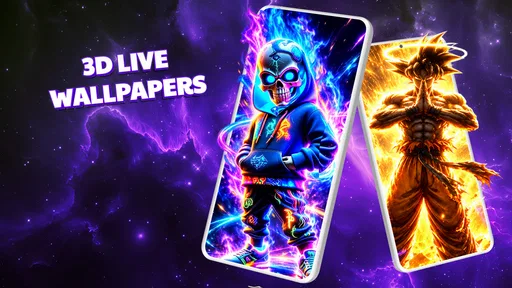
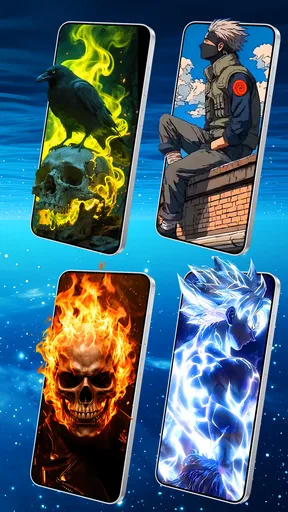
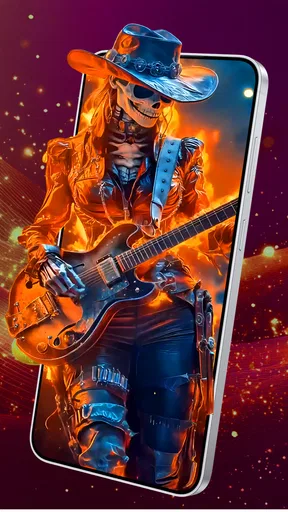
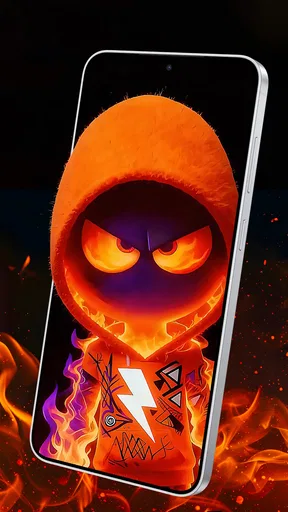

 Analysis by AppCompare
I think animated wallpaper apps ask a simple question: do you enjoy seeing your phone move a little when you unlock it, or would you rather have a quiet, static background? 3D Live Wallpapers - 4K & 4D is aimed at the first kind of user. It sits in the personalization space, where its main job is not to change how your phone works but to make the screen feel more like yours. That sounds modest, but a wallpaper is something you see repeatedly, so small choices about motion, color, and visual clutter can matter more than a dramatic preview suggests.
The app comes from SmoothX Studio, and it is free to install, with optional in-app purchases listed from $1.49 to $19.99 per item. It is rated for Everyone, has a 4.7 average from around 83,000 ratings, and has passed 10 million installs. Those figures suggest that the format has broad appeal, though they do not tell me whether a particular animation will suit your screen or whether you will want paid extras. The useful question is how much control you have over the effect you choose, and whether the moving image earns its place on a phone you use all day.
Bringing Screens to Life
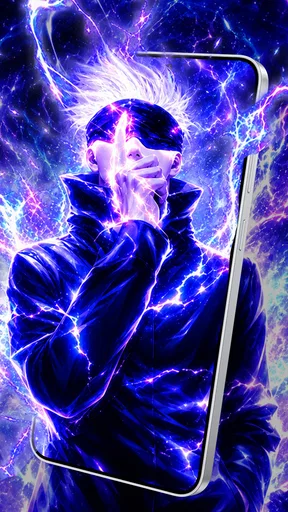
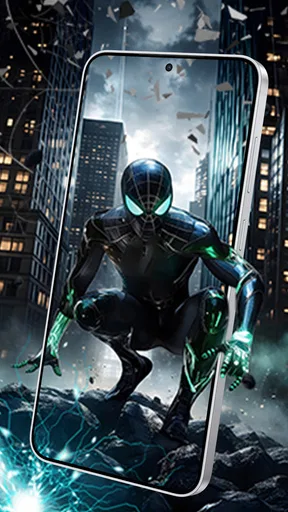
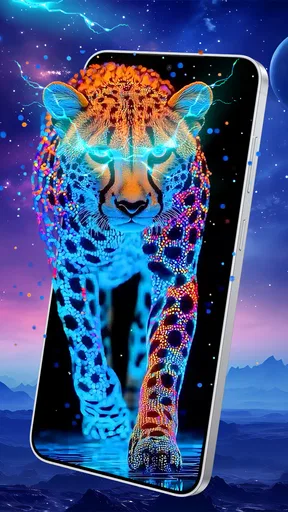
The first thing you'll notice about 3D Live Wallpapers - 4K & 4D is the sheer variety of wallpapers available. We're talking hundreds of options ranging from serene landscapes to edgy urban environments. And don't even get me started on the animations! The 4D effect gives your screen a lifelike quality that’s hard to describe without experiencing it yourself. Basically, it’s like having a mini-theater right in your pocket.
Choosing motion that works on your phone
That visual impact is the point, but I would choose a wallpaper for the way it behaves during ordinary use, not just for a striking preview. A busy animation can look impressive in a showcase and become tiring when it sits behind app icons all day. I’d start with a calmer scene, check whether the movement competes with the time and widgets, and then try a more dramatic option only if the home screen still feels readable. The best result is not necessarily the most elaborate one; it is the one that adds personality without making routine taps harder.
There is also a practical difference between a wallpaper you admire once and one you want to keep. A high-contrast image may make icons easier to spot in one part of the screen and harder in another. If your home screen is crowded, a scene with a less detailed central area can leave visual breathing room for icons. If you keep only a few shortcuts there, you can be more adventurous. This is a small selection habit, but it helps avoid judging a background only by its full-screen preview.
Customization Galore
One of the coolest features of this app is the level of customization it offers. You can tweak the intensity of the 3D effect, adjust the brightness, and even play around with the colors to suit your mood or style. It's like being handed the keys to your own personal art gallery. Whether you’re into subtle movements or full-on dynamic displays, there's something here for everyone.
I’d treat those adjustments as a way to make a wallpaper fit your actual setup, rather than as sliders to push to the maximum. Lowering the effect intensity can keep motion from pulling attention away from notifications, while a brightness change may help a vivid image sit more comfortably behind icons. If you use a photo widget or a lot of labels, test the wallpaper with those elements visible before settling on it. That quick check is more useful than choosing from a preview that shows the artwork alone.
Worth Reading Before You Choose

Flipboard Shows What News Apps Must Do Beyond the Feed

Switching to Android Auto Means Rethinking Your Driving Routine

Google Calendar Makes a Crowded Week Easier to Manage

Ludo King Makes the Most of the Minutes Between Plans

Baby Panda World Brings Quick Play to Modern Phones, but Its Game Library Feels Busy

ESPN’s Live Game View Makes Following Close Games Easier
User Experience
Let's talk usability. Navigating through the app is a breeze. The developers have laid everything out in a way that feels intuitive and user-friendly. Within minutes, you'll find yourself diving deep into the world of stunning visuals without any hassle. And for those who love to keep things fresh, the app offers regular updates with new wallpapers, ensuring you’ll never run out of options.
For a realistic everyday routine, imagine changing your background on a Sunday evening: browse a few scenes, choose one that leaves your icons legible, adjust its movement, and live with it through a normal day of calls, messages, and quick checks. If it still looks good when you are not actively admiring it, that is a stronger sign of a good choice than a flashy first impression. I would also avoid changing several visual settings at once; changing one at a time makes it easier to tell whether the motion, brightness, or color is what you actually prefer.
The app is a better fit for someone who enjoys visual variety and is happy to spend a minute tuning a background. If you want a single static image, a personal photograph, or the fewest possible moving elements, your phone’s built-in wallpaper picker may be a cleaner choice. That option is also more direct when you already know exactly which image you want. This app’s appeal is the browse-and-adjust experience, not a promise that animated art is automatically better than a familiar photo.
What to expect from the alternatives
Compared with ordinary static wallpaper collections, this app’s defining difference is motion and the depth effect, paired with adjustments to intensity, brightness, and color. Static backgrounds are often the sensible alternative for people who prioritize a still screen or already have a picture they love. A built-in picker can also involve fewer choices to work through. By contrast, browsing animated options makes more sense when you want the phone to feel visually different without changing its layout or adding a new daily task.
There is a trade-off in that choice. Motion can make a screen feel fresh, but it can also become background noise, and a detailed image can make icons harder to pick out. I would not assume the most vivid or complex design is the best one for prolonged use. Try a restrained setting first, then increase the effect only if it remains comfortable. This is especially useful if you check your phone often: the background should complement those quick glances rather than demand attention each time.
Trust, choices, and sensible expectations
For a personalization app, trust is partly about knowing what you are choosing and not confusing visual controls with broader privacy controls. The practical choices visible in the experience described here are wallpaper selection and adjustments to the look and motion. I would make decisions based on those controls and on the choices presented during use, rather than treating a 3D effect as evidence of anything about data handling. If privacy is a deciding factor for you, review the app’s current permission prompts and privacy information on your device before continuing, and grant only access that makes sense for the action you are taking.
That same cautious approach applies to spending. The app is free to install, while optional purchases are available; I would explore the free experience and decide whether the selection and adjustments meet my needs before buying anything. A purchase is easier to judge when you know which specific wallpaper or option you want, rather than when you are responding to a general impression of a large catalog. The listed age rating is Everyone, but parents should still use their own judgment about what visuals suit a child and supervise any purchase decisions.
Another practical question is whether an animated background will feel right on your particular device. The app’s current version is 1.5.0 and its stated minimum operating-system requirement is 8.0. Before installing, I’d check that the device meets that requirement and remember that screen size, icon layout, and personal tolerance for motion all affect the result. A wallpaper that looks balanced on one phone may feel crowded on another, so preview it in the context of your own home screen rather than relying only on a standalone image.
Performance
I was initially worried about battery drain, which is a common concern with live wallpapers. However, this app surprised me. It's optimized to ensure minimal battery consumption, so you can enjoy those brilliant visuals without having to reach for your charger every couple of hours. As far as performance goes, it runs smoothly on both Android and iOS devices, so no one misses out on the fun.
Even so, I would treat battery life and smoothness as things to judge on your own phone, since device settings and normal daily use shape the experience. If you are unsure, start with a less intense effect and notice how the phone feels during your regular routine before committing to a more active background. That is a sensible check for any live wallpaper, particularly if you rely on your phone away from a charger. If you prefer not to spend time evaluating that trade-off, a static background is the more predictable option.
Who will enjoy it—and who may not
I’d recommend giving it a try if you like animated art, enjoy tweaking small visual details, and want a fresh home-screen look without reorganizing your apps. It is especially appealing to people who like to change their phone’s appearance with their mood or the season, provided they are willing to test readability and motion rather than choose on spectacle alone. Its free-to-install model makes that initial exploration straightforward, while the in-app purchase range is worth keeping in mind if you are considering paid options.
I would skip it if you find moving backgrounds distracting, need every part of the screen to remain visually calm, or prefer to use a personal photo with no extra effects. Someone who is strict about battery predictability may also prefer a static image, even if a live wallpaper works well for many users. The app’s strong rating and wide adoption are encouraging signs of interest, but neither can decide whether its particular style suits your eyes, device, or habits.
My most useful test would be simple: choose one wallpaper, keep it through a normal day, and ask whether you still enjoy seeing it during quick checks rather than only when you stop to admire it. If the animation remains comfortable, the controls let you tune the effect instead of accepting a one-size-fits-all look. If it gets in the way, switching back to a still background is not a failure; it means you have found the kind of personalization that works for you.
In conclusion, if you're looking to give your phone a fresh, exciting look, 3D Live Wallpapers - 4K & 4D is definitely worth a shot. It's got a vast array of beautiful wallpapers, easy customization, and won't drain your battery dry. With all these features packed into one app, it’s time to say goodbye to those static backgrounds and hello to a new dimension of style.
Pros
- Stunning 4K resolution enhances visual appeal.
- Wide variety of themes for personalized style.
- Interactive 4D elements bring wallpapers to life.
- User-friendly interface for easy navigation.
- Regular updates keep content fresh and exciting.
Cons
- High battery usage with animated wallpapers.
- Limited free options; many require purchase.
- Occasional lag on older devices.
- Ads can be intrusive during navigation.
- Large app size may affect storage space.
FAQs for 3D Live Wallpapers - HD & 4K
What features does the 3D Live Wallpapers - 4K & 4D app offer?
The app offers a stunning variety of 3D, 4K, and 4D wallpapers that bring your screen to life with vibrant colors and dynamic movements. Users can choose from a vast library of themes, including nature, abstract, and technology. Additionally, the app supports both home and lock screen customization, allowing for an immersive visual experience.
Is the 3D Live Wallpapers app compatible with all devices?
The app is designed to be compatible with most modern Android and iOS devices. However, due to the high-resolution graphics and dynamic effects, it may not perform optimally on older devices or those with limited processing power and RAM. It's recommended to check device compatibility in the app store before downloading.
Does using 3D live wallpapers affect battery life?
Yes, using 3D live wallpapers can impact battery life because they require more processing power to render the dynamic animations. The effect on battery life depends on the complexity of the wallpaper and your device's hardware. Users concerned about battery consumption should monitor usage and adjust settings as needed.
Are there any in-app purchases or ads in the 3D Live Wallpapers app?
The app is free to download and offers a selection of free wallpapers. However, it does include in-app purchases for premium content and features, which provide access to exclusive wallpapers and an ad-free experience. Ads may appear in the free version, but purchasing premium content can enhance the user experience.
How can I customize my wallpapers with the 3D Live Wallpapers app?
Customization is straightforward with this app. Users can easily browse through categories and select their preferred wallpapers. Once chosen, wallpapers can be set on either the home or lock screen or both. The app may also offer customization options like adjusting the speed of animations or adding interactive elements for a personalized touch.


